This article talks about how to add guest users in O365
What is a guest?
Guest users in O365 account is an account that is external to your organization, managed outside of your instance of Entra ID (previously known as Azure Active Directory) or on-premises Active Directory (AD)
Let’s add guest users in O365
Login to admin portal : https://admin.microsoft.com/
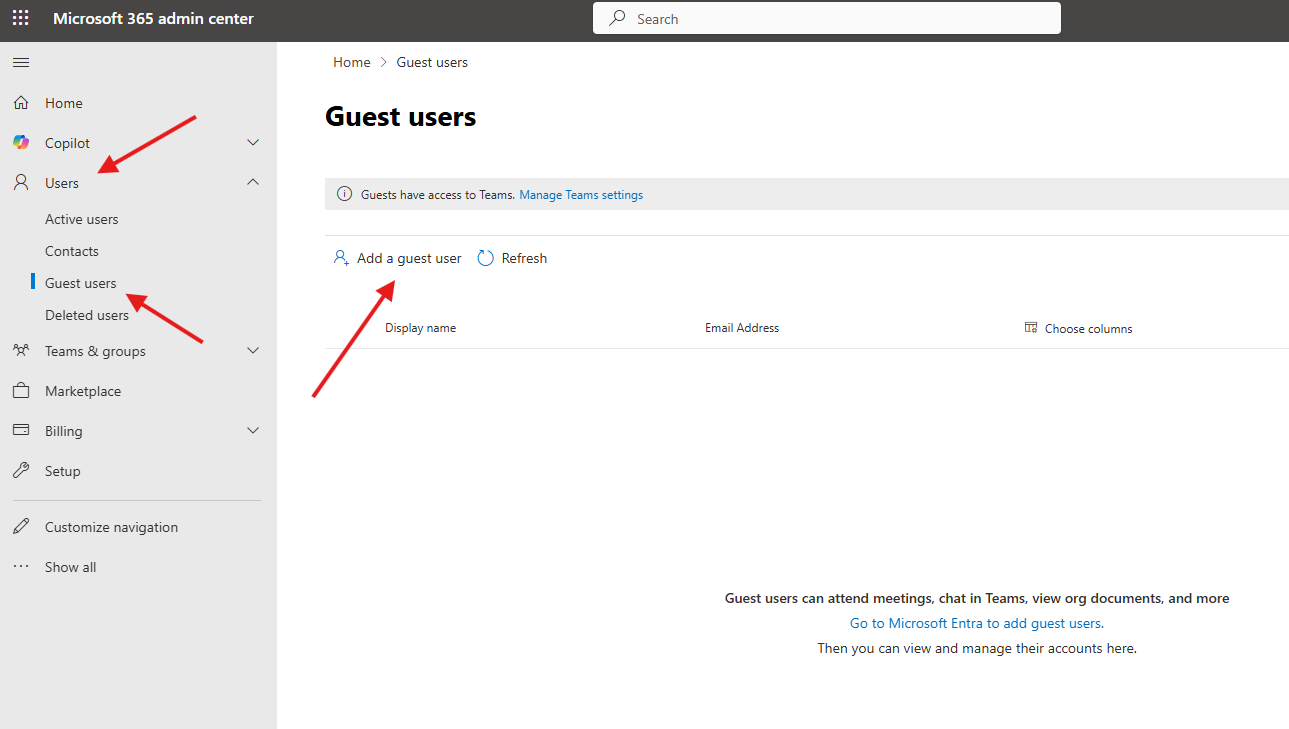
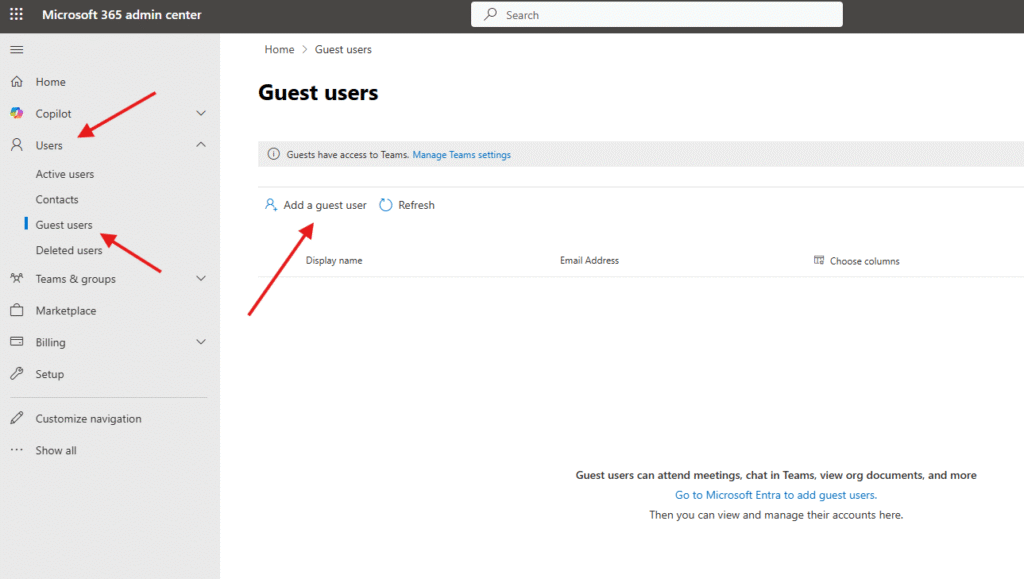
Navigate to users–> Guest users–> click on Add a guest user
It will take you to a new page : either you can create new guest user or invite them
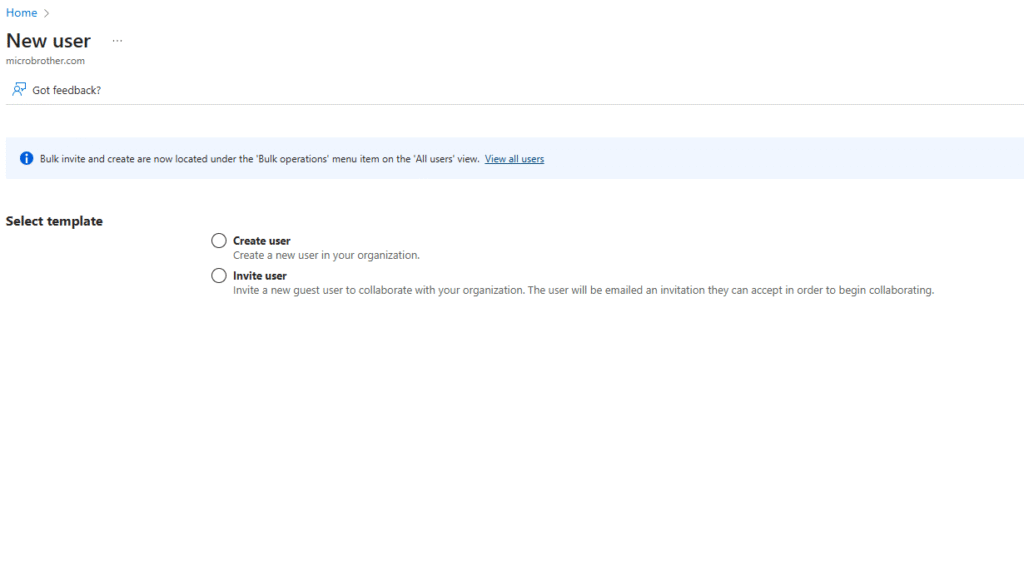
Let’s 1st talk about creating a new guest user
select create user option : Fill all details properly , if you want you can block sign in for guest user ( see below screen shots )
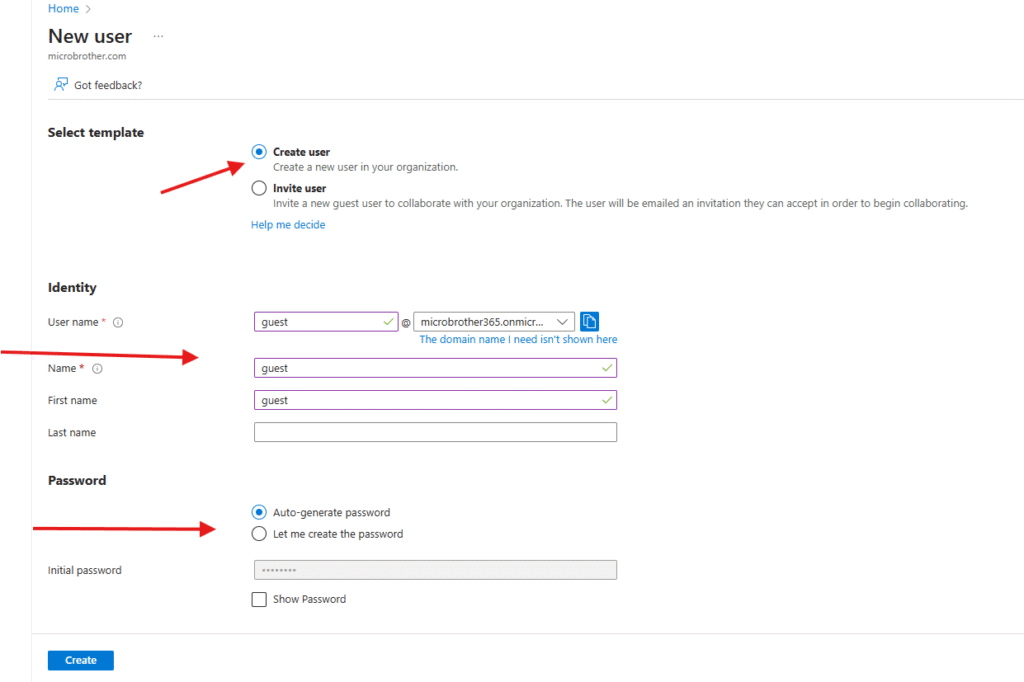
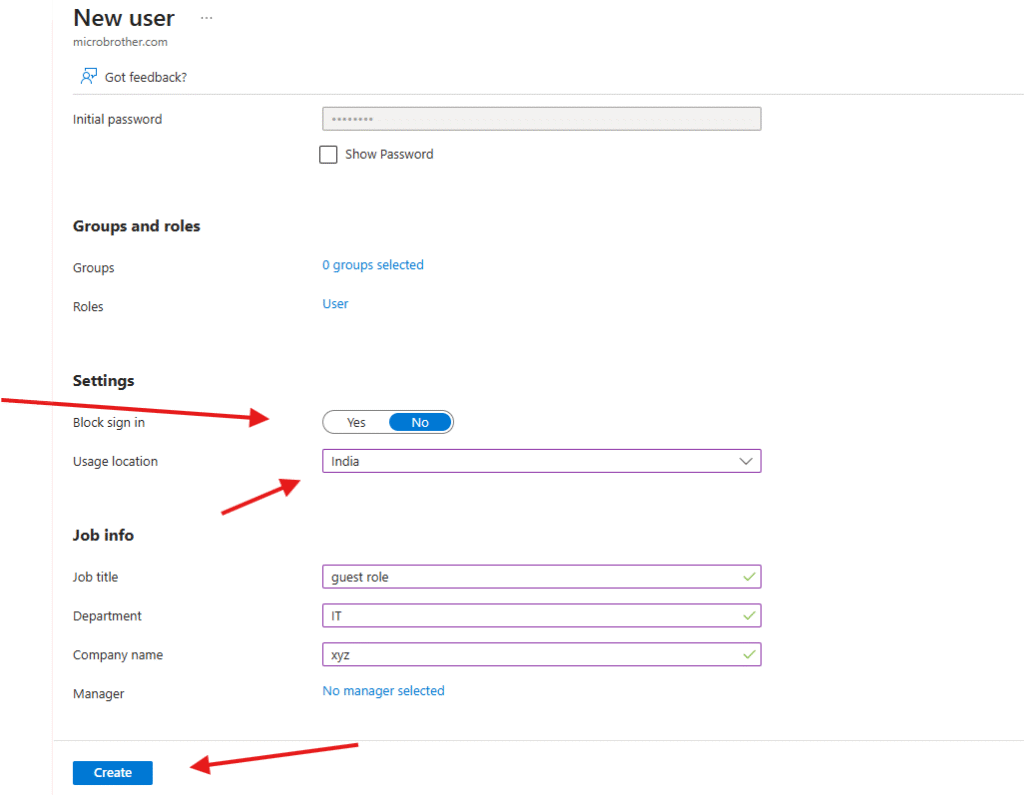
We are done here, now lets see second method
click on invite user option –> fill in required details–> finally send the invite
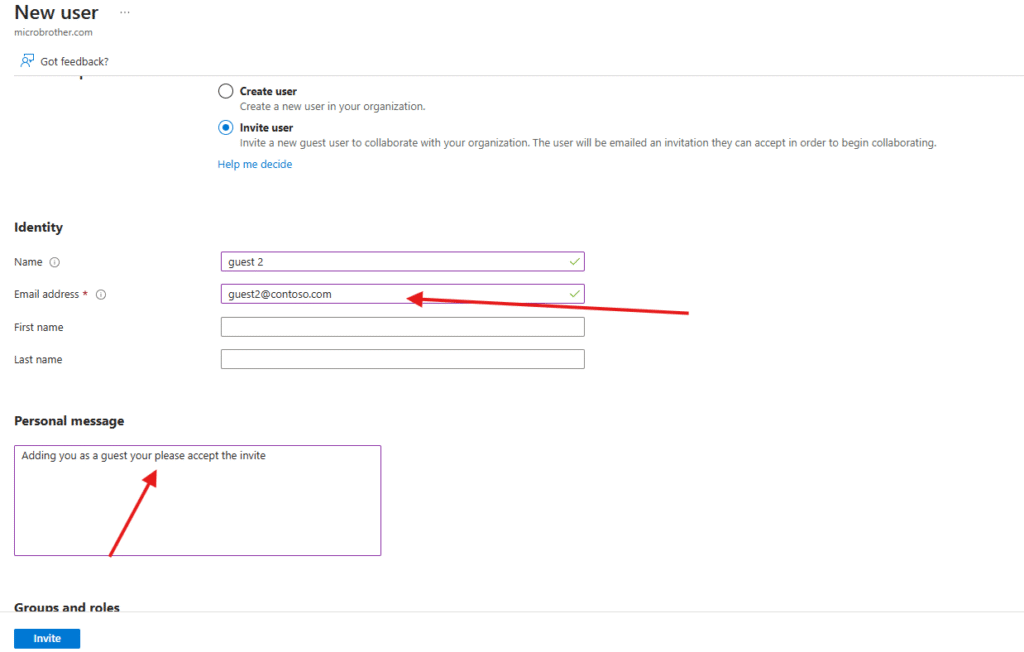
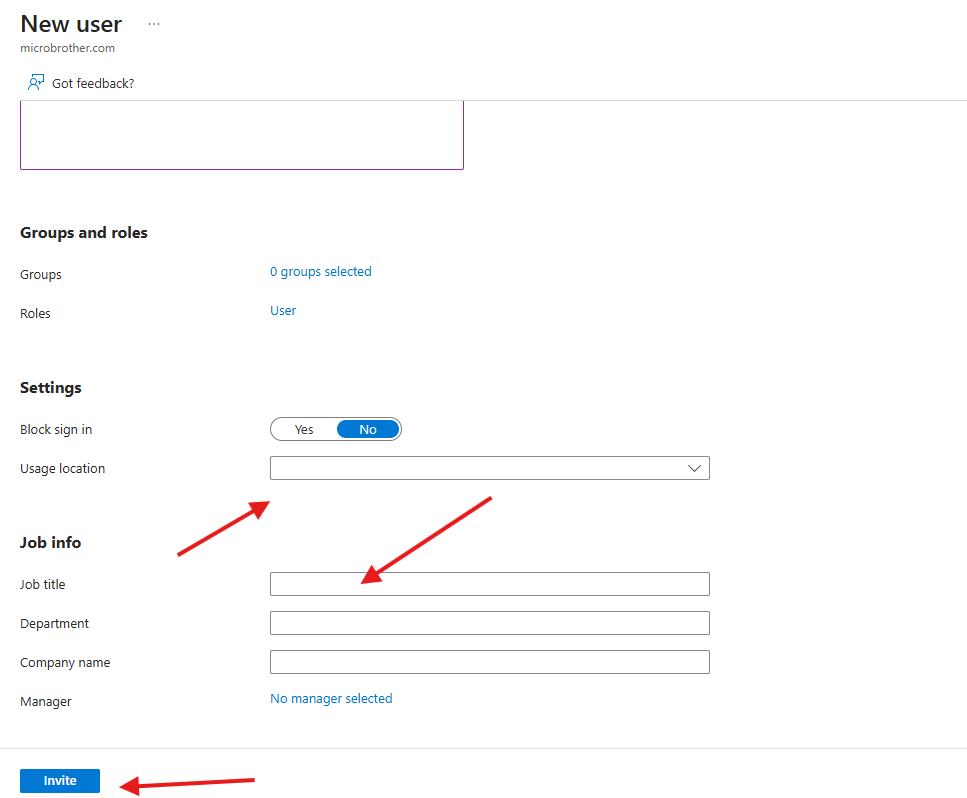
We are done here
Guest users can be seen in Entra id ( see below image )
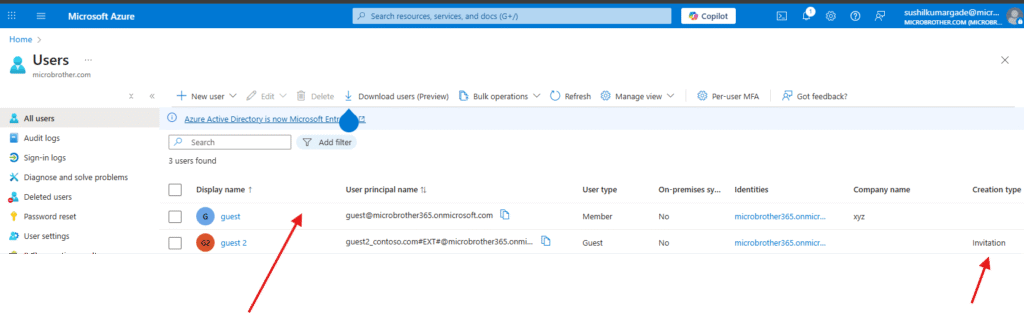
Invited user can be seen in TAC
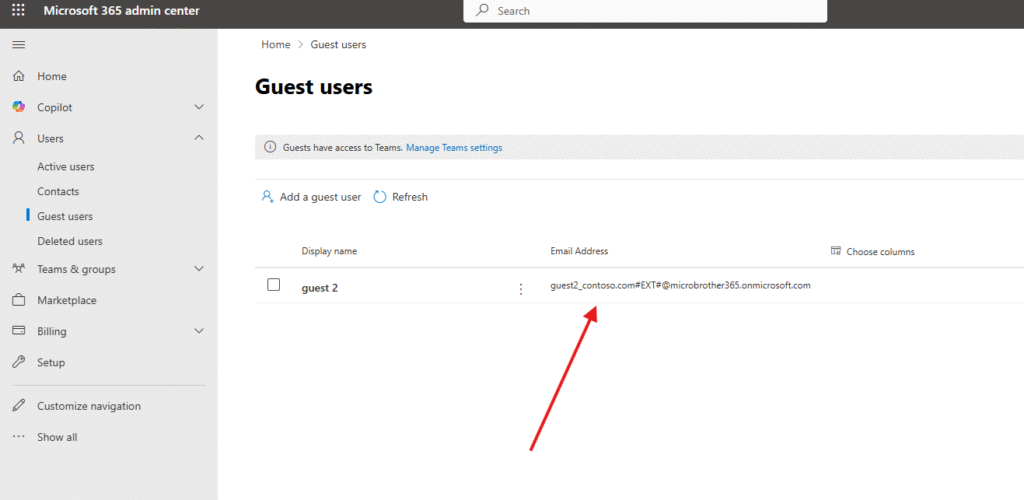
If you want you can get rid of the guest users by following below snippets
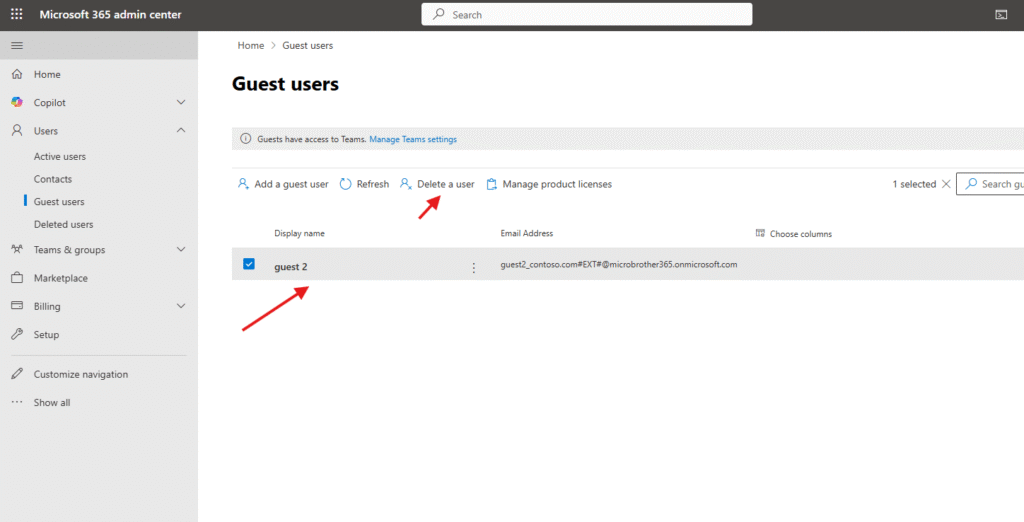
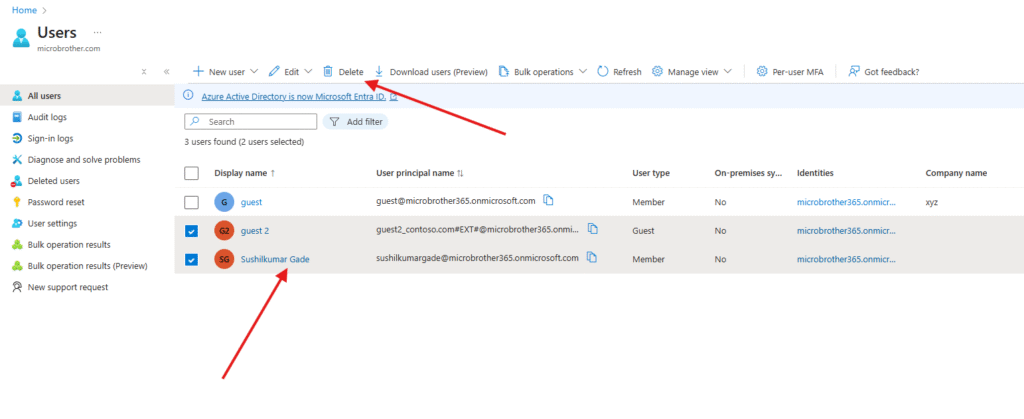
PowerShell Script for above manual task
# Install Microsoft Graph PowerShell module if not already installed
Install-Module Microsoft.Graph -Force -AllowClobber

# Connect to Microsoft Graph with the right permissions
Connect-MgGraph -Scopes "User.ReadWrite.All","User.Invite.All"

# Variables for new guest user
$GuestEmail = "guestuser@example.com"
$RedirectUrl = "https://myapps.microsoft.com"   # Where user is redirected after accepting
$InviteMessage = "Hello! You have been invited to collaborate in our O365 tenant."

# Send invitation
New-MgInvitation -InvitedUserEmailAddress $GuestEmail `
                 -InviteRedirectUrl $RedirectUrl `
                 -SendInvitationMessage $true `
                 -InvitedUserMessageInfo @{CustomizedMessageBody=$InviteMessage}

Write-Host "Guest user invitation sent to $GuestEmail"
Conclusion:
After reading above article, reader will be able to create and delete guest user’s sucessfully.
You can also read https://microbrother.com/how-to-create-contacts-in-o365/ this article on how to create contacts in O365
Thank you ☺️